
UGC 101: Now Anyone Can Make The Content Format Brands Pay For With AI
UGC is the content format brands pay top dollar for, and AI just made it easier to produce. Here's everything beginners need to start creating and getting paid.
Published:

Read Time:

4 min

Written by:
Fawwaz
Trend Research and Copywriter
The creator economy has shifted
brands now pay everyday people to create UGC that converts. the only barrier? camera anxiety.
The creator economy has shifted
brands now pay everyday people to create UGC that converts. the only barrier? camera anxiety.
The creator economy has shifted
brands now pay everyday people to create UGC that converts. the only barrier? camera anxiety.
Many people understand marketing, write brilliant scripts, and know exactly what makes a video go viral, but the thought of pointing a camera at their face and speaking to millions is terrifying.
Here is the ultimate solution created for you, on how artificial intelligence is closing the gap, the pros and cons of synthetic media, and the step-by-step guide to generating high-paying UGC without ever stepping in front of a lens.
🧱 The Barrier: Why Brilliant Creators Don't Post
In traditional UGC, the creator is the asset. Brands pay for your face, your voice, and your environment.
But traditional video production comes with heavy friction:
Performance Anxiety: Stumbling over words, dealing with poor lighting, and shooting 50 takes just to get the perfect 3-second hook.
Equipment Costs: While smartphones are great, you still need decent ring lights, microphones, and a quiet background.
Language Barriers: If you are a brilliant marketer in Indonesia but want to pitch a US-based brand, the language barrier can kill the deal.
🤖 How AI Fills the Gap
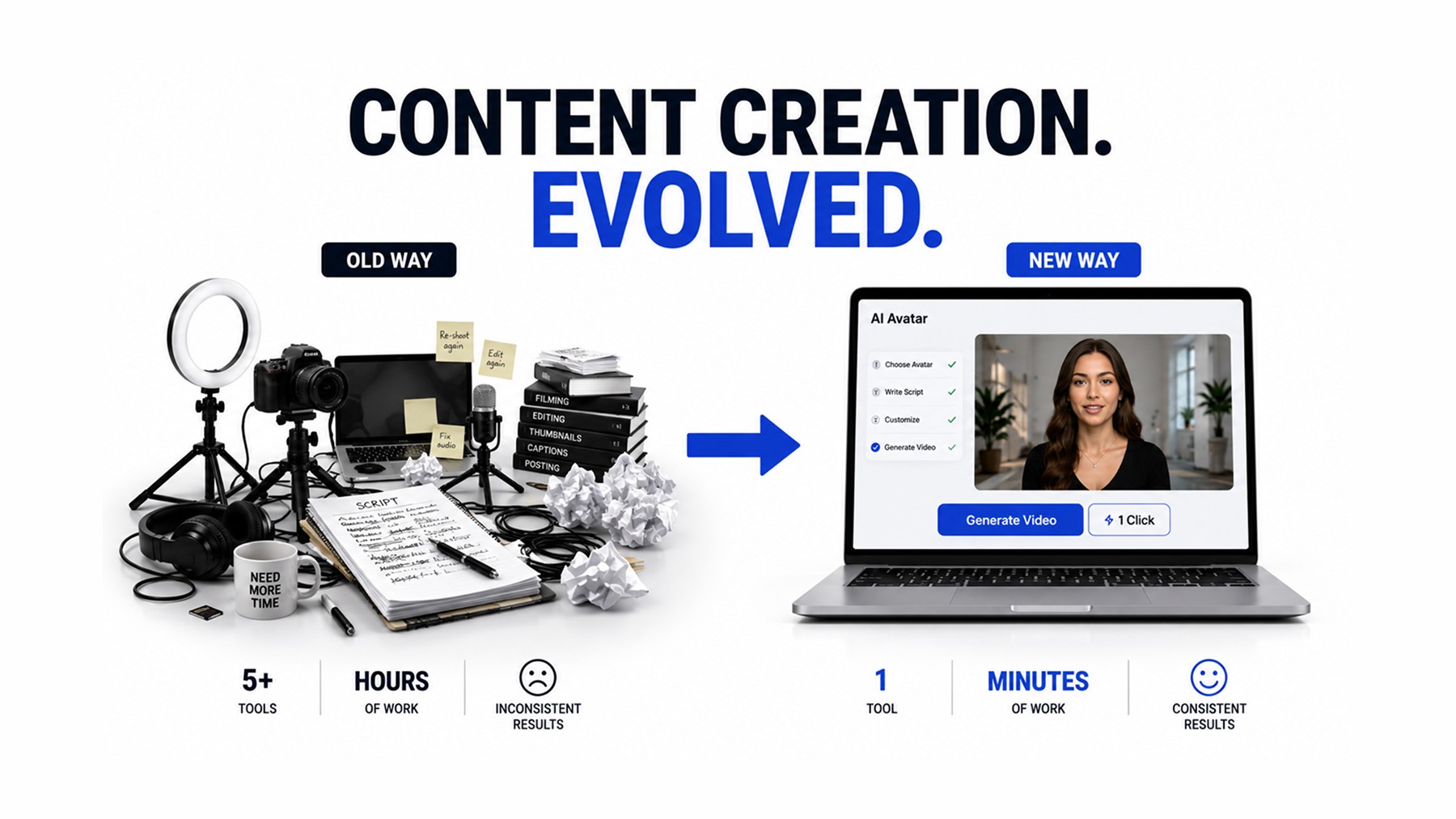
With modern software, you can now use an AI generator to create a photorealistic human avatar that reads your script with perfect cadence, natural micro-expressions, and flawless lip-sync.
Finding the best AI avatar software (like HeyGen or Synthesia) allows "faceless" creators to become powerhouse UGC agencies. You provide the marketing psychology and the AI provides the on-camera talent. It completely removes the physical friction of content creation.
⚖️ The Plus/Minus of AI UGC
AI UGC is powerful, but it is not a magic bullet.
Here is the reality check from both the user and the brand perspective.
The Plus (+) | The Minus (-) |
|---|---|
|
|
🚀 The Playbook: How to Create AI UGC Step-by-Step
If you are ready to start generating UGC without showing your face, here is the exact workflow used by top faceless creators:
Step 1: Write a "Human" Script
AI avatars read exactly what you write. If you write a boring, corporate script, the AI will sound like a robot. You must inject human nuances into the text.
Use conversational filler words like "so," "look," or "wait."
Write an aggressive 3-second hook that targets a specific pain point.
Keep the sentences short and punchy.
Step 2: Select the Best AI Avatar
Do not use cheap, free-tier avatars that look like video game characters. Invest in premium tools like HeyGen.
Choose an avatar that matches the demographic of the brand's target audience.
If you are brave enough to film one video of yourself, use the software's "Instant Avatar" feature to clone yourself. You only have to be on camera for two minutes, and the AI will generate your face for all future brand deals.
Step 3: Generate and Edit
Once the AI generates the talking-head footage, do not just post it raw. This is the biggest mistake beginners make.
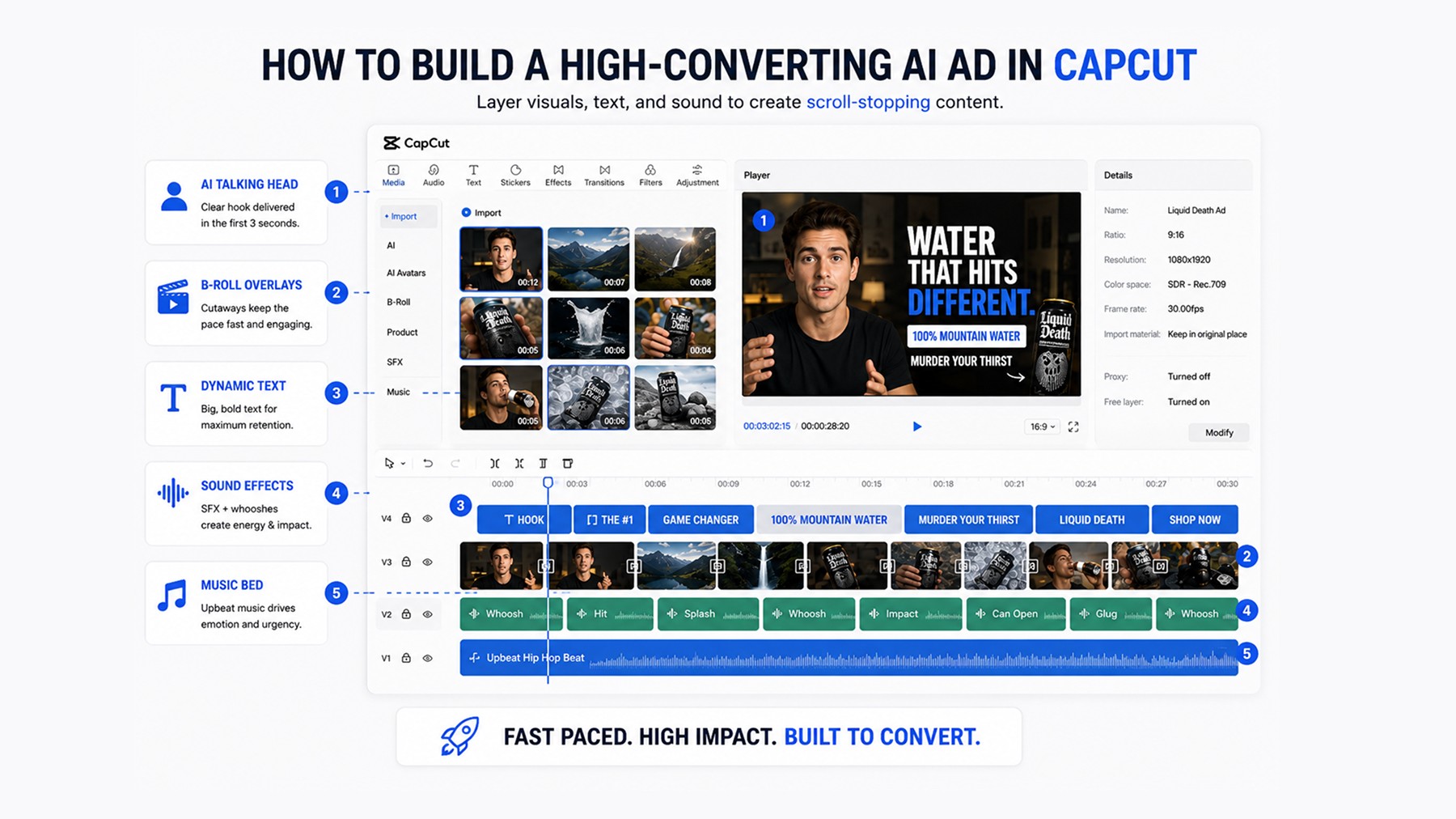
Take the AI footage into an editor like CapCut.
Add B-Roll: Every 3 to 4 seconds, cut away from the AI avatar to show stock footage, product close-ups, or screen recordings. This masks the fact that the primary speaker is AI and keeps viewer retention high.
Native Formatting: Add platform-native captions, emojis, and trending background music to make it look like an organic TikTok or Reel.
Scale Your UGC Career with Masterhooks
Creating AI UGC can solve camera anxiety, but landing high-paying brand deals still requires strong marketing strategy and execution.
Even the best AI avatar won’t convert without the right messaging behind it.
By connecting creators with high-growth brands, Masterhooks provides data-backed scripts, structured briefs, and scalable UGC strategies by helping both human and AI-assisted creators produce the kind of content brands want to pay for.
Want to go deeper? Read our complete guide to UGC creators — who they are, how they work, and how to hire them for app growth.
Master your UGC strategy with Masterhooks!

Master your UGC strategy with Masterhooks!
Many people understand marketing, write brilliant scripts, and know exactly what makes a video go viral, but the thought of pointing a camera at their face and speaking to millions is terrifying.
Here is the ultimate solution created for you, on how artificial intelligence is closing the gap, the pros and cons of synthetic media, and the step-by-step guide to generating high-paying UGC without ever stepping in front of a lens.
🧱 The Barrier: Why Brilliant Creators Don't Post
In traditional UGC, the creator is the asset. Brands pay for your face, your voice, and your environment.
But traditional video production comes with heavy friction:
Performance Anxiety: Stumbling over words, dealing with poor lighting, and shooting 50 takes just to get the perfect 3-second hook.
Equipment Costs: While smartphones are great, you still need decent ring lights, microphones, and a quiet background.
Language Barriers: If you are a brilliant marketer in Indonesia but want to pitch a US-based brand, the language barrier can kill the deal.
🤖 How AI Fills the Gap
With modern software, you can now use an AI generator to create a photorealistic human avatar that reads your script with perfect cadence, natural micro-expressions, and flawless lip-sync.
Finding the best AI avatar software (like HeyGen or Synthesia) allows "faceless" creators to become powerhouse UGC agencies. You provide the marketing psychology and the AI provides the on-camera talent. It completely removes the physical friction of content creation.
⚖️ The Plus/Minus of AI UGC
AI UGC is powerful, but it is not a magic bullet.
Here is the reality check from both the user and the brand perspective.
The Plus (+) | The Minus (-) |
|---|---|
|
|
🚀 The Playbook: How to Create AI UGC Step-by-Step
If you are ready to start generating UGC without showing your face, here is the exact workflow used by top faceless creators:
Step 1: Write a "Human" Script
AI avatars read exactly what you write. If you write a boring, corporate script, the AI will sound like a robot. You must inject human nuances into the text.
Use conversational filler words like "so," "look," or "wait."
Write an aggressive 3-second hook that targets a specific pain point.
Keep the sentences short and punchy.
Step 2: Select the Best AI Avatar
Do not use cheap, free-tier avatars that look like video game characters. Invest in premium tools like HeyGen.
Choose an avatar that matches the demographic of the brand's target audience.
If you are brave enough to film one video of yourself, use the software's "Instant Avatar" feature to clone yourself. You only have to be on camera for two minutes, and the AI will generate your face for all future brand deals.
Step 3: Generate and Edit
Once the AI generates the talking-head footage, do not just post it raw. This is the biggest mistake beginners make.
Take the AI footage into an editor like CapCut.
Add B-Roll: Every 3 to 4 seconds, cut away from the AI avatar to show stock footage, product close-ups, or screen recordings. This masks the fact that the primary speaker is AI and keeps viewer retention high.
Native Formatting: Add platform-native captions, emojis, and trending background music to make it look like an organic TikTok or Reel.
Scale Your UGC Career with Masterhooks
Creating AI UGC can solve camera anxiety, but landing high-paying brand deals still requires strong marketing strategy and execution.
Even the best AI avatar won’t convert without the right messaging behind it.
By connecting creators with high-growth brands, Masterhooks provides data-backed scripts, structured briefs, and scalable UGC strategies by helping both human and AI-assisted creators produce the kind of content brands want to pay for.
Want to go deeper? Read our complete guide to UGC creators — who they are, how they work, and how to hire them for app growth.
Master your UGC strategy with Masterhooks!
Related Reading
Related Reading

How to Find the Right Influencer Marketing Agency for Your Brand (Without Wasting Budget)
6 min
|
How to Find the Right Influencer Marketing Agency for Your Brand (Without Wasting Budget)
Learn how to choose an influencer marketing agency using a practical scorecard, performance criteria, red flags, and pre-contract checks.
6 min
|

AI Video Ad Agencies: A Buyer's Guide for DTC Brands (2026)
4 min
|
AI Video Ad Agencies: A Buyer's Guide for DTC Brands (2026)
Compare AI video ad agency types, pricing, performance metrics, ownership rights, and seven questions DTC brands should ask before hiring.
4 min
|

How Taylor Swift Engineered a UGC Wave With 13 Seconds of Video and One Awards Show
4 min
|
How Taylor Swift Engineered a UGC Wave With 13 Seconds of Video and One Awards Show
How Taylor Swift turned a 13-second teaser, Easter eggs, and a live VMA premiere into a UGC engine brands can adapt for organic distribution.
4 min
|


Need help scaling?
Book a strategy call with our expert team to audit your current UGC setup.