The UGC Content Creator's Toolkit Part 3: Best Tools for Distribution and Analytics
The UGC Content Creator's Toolkit Part 3: Best Tools for Distribution and Analytics
Discover the best UGC content creator tools & platform for scheduling, analytics, client management, and campaign tracking across TikTok, Instagram, and YouTube
Published:

Read Time:

5 min

Written by:
Fawwaz
Trend Research and Copywriter
AFTER IDEATION AND CONTENT PRODUCTION, WHAT’S NEXT?
Even high-quality videos can go unnoticed if they’re uploaded inconsistently, delivered late to clients, or not analyzed after publication.
AFTER IDEATION AND CONTENT PRODUCTION, WHAT’S NEXT?
Even high-quality videos can go unnoticed if they’re uploaded inconsistently, delivered late to clients, or not analyzed after publication.
AFTER IDEATION AND CONTENT PRODUCTION, WHAT’S NEXT?
Even high-quality videos can go unnoticed if they’re uploaded inconsistently, delivered late to clients, or not analyzed after publication.
After covering Parts 1 and 2 of this guide which focused on everything that happens before a UGC video goes live, Part 3 will now focus on the critical stages that determine whether all that effort will actually reach an audience. The best UGC content creator tools can help with these next steps by making it easier to schedule content, track performance, and manage campaigns across platforms, turning video production into a more sustainable workflow.
The good news is that creators don’t need a complex suite of tools since these selected tools are sufficient to handle nearly all of these needs.
1. Later: Keep Your Content Calendar Under Control
Later is one of the most useful content calendar tools for UGC creators managing posts for multiple brands , especially to avoid missing content publication deadlines.
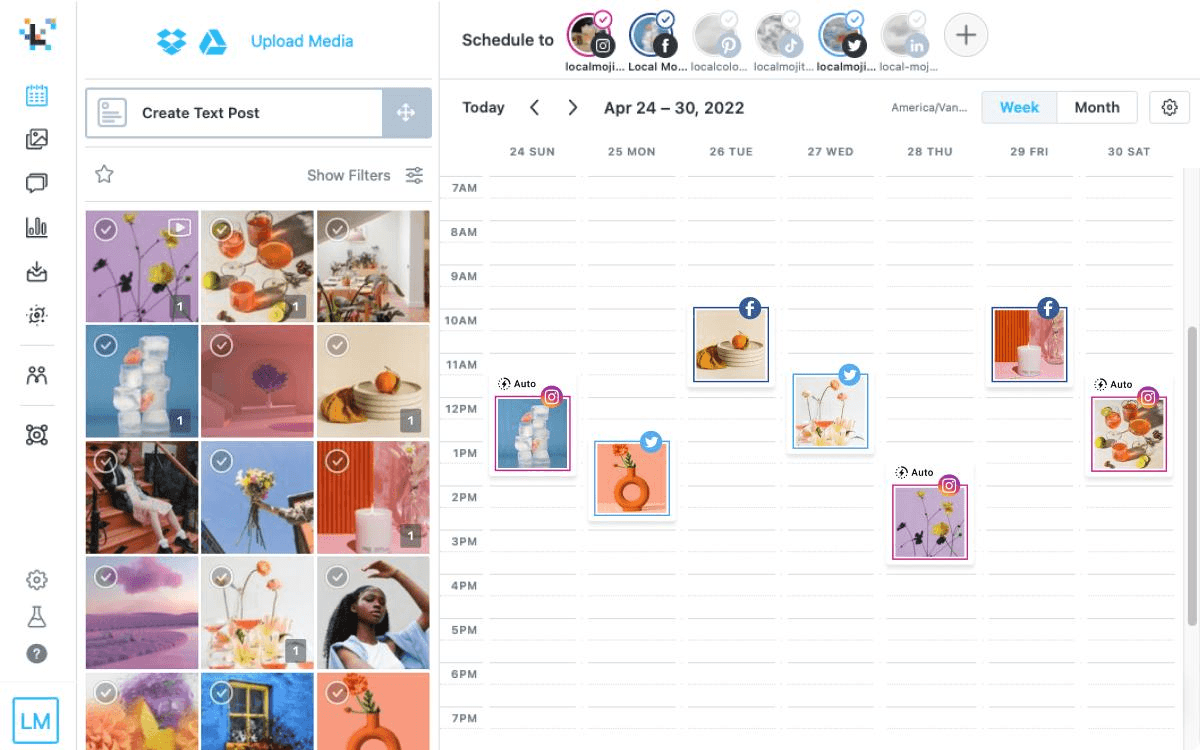
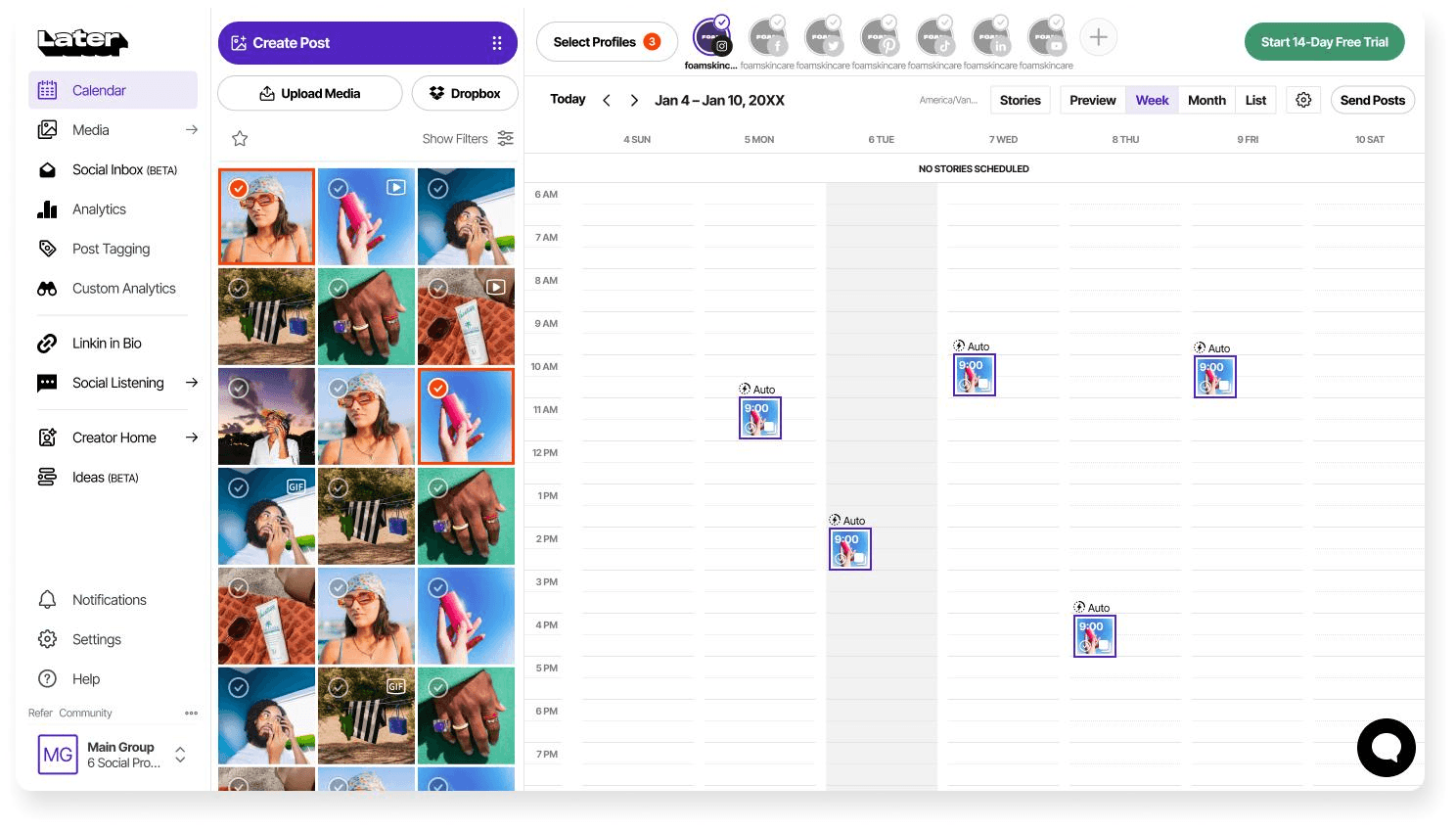
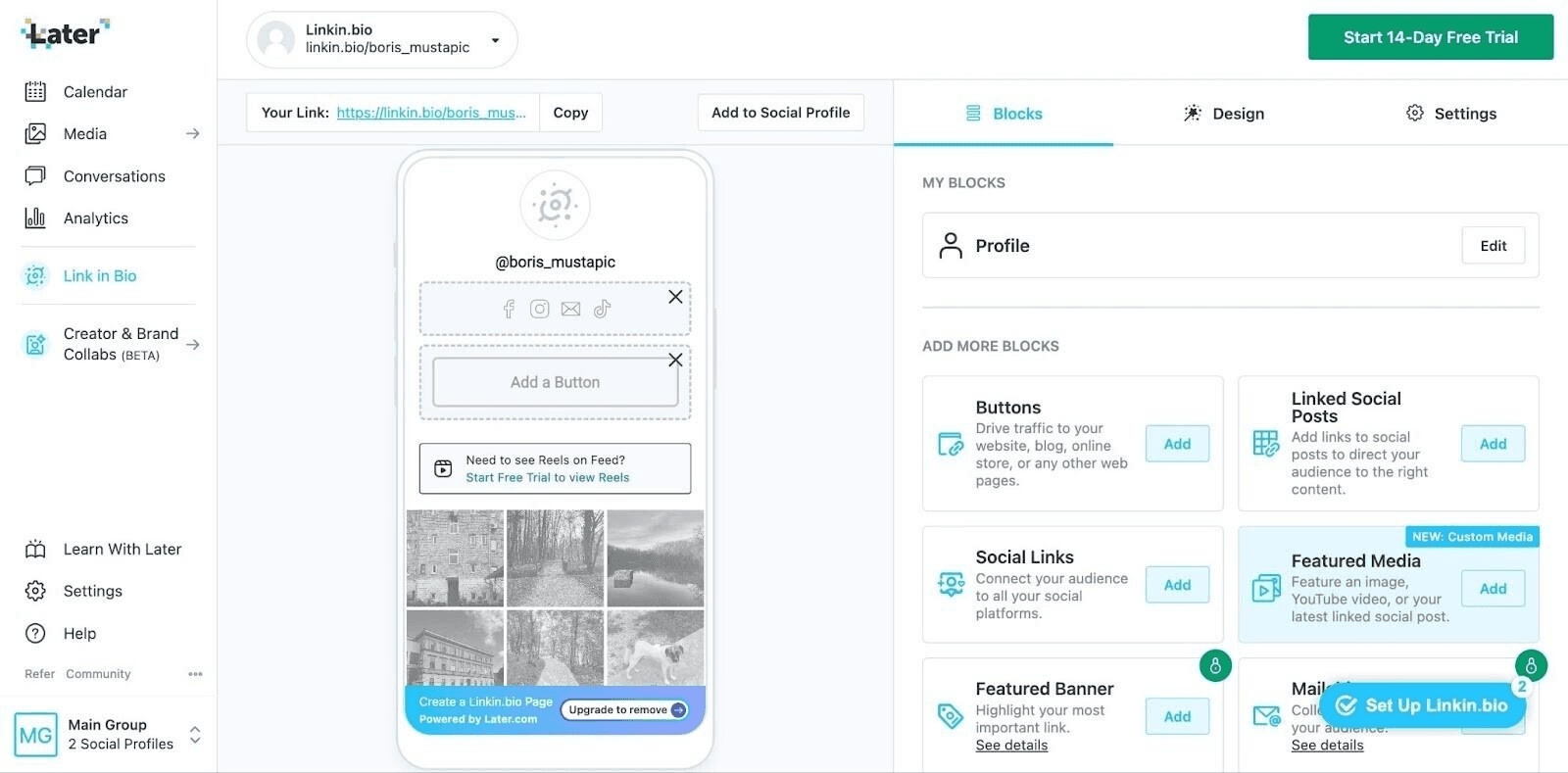
Later is very useful for creators who need a visual overview of their publication schedule, with a free plan that offers quite useful features such as post scheduling, calendar access, a customizable “Link in Bio” page, and basic analytics.
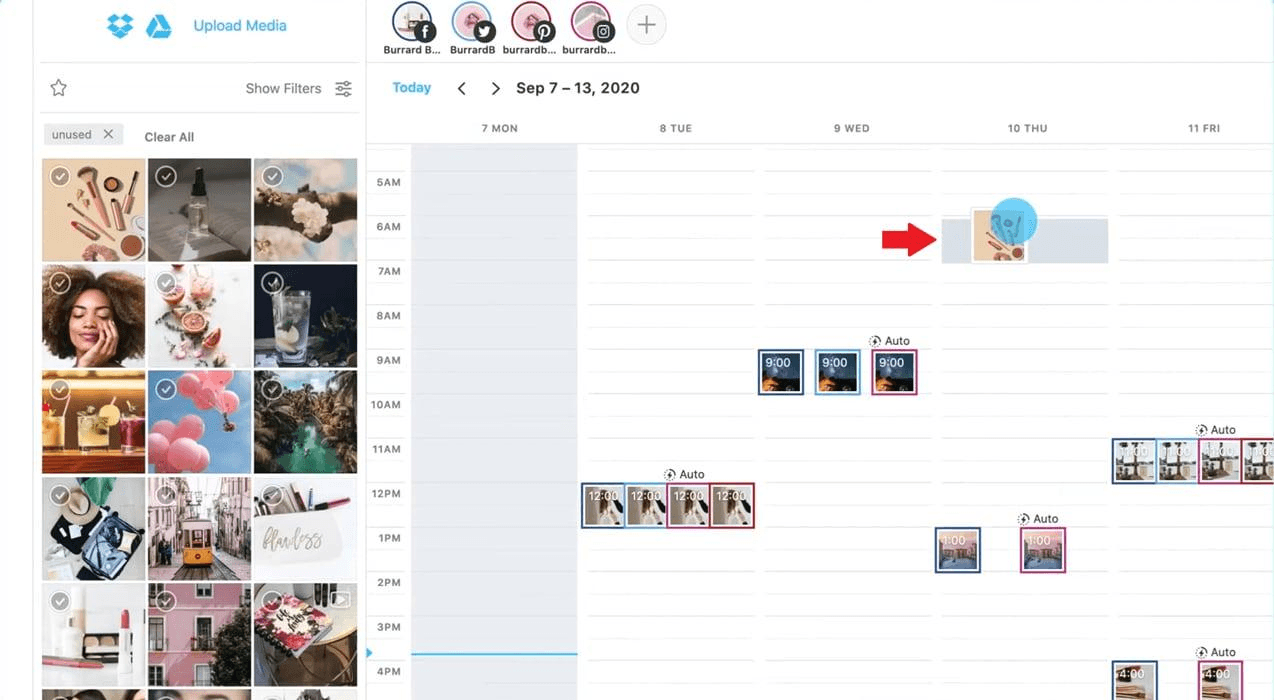
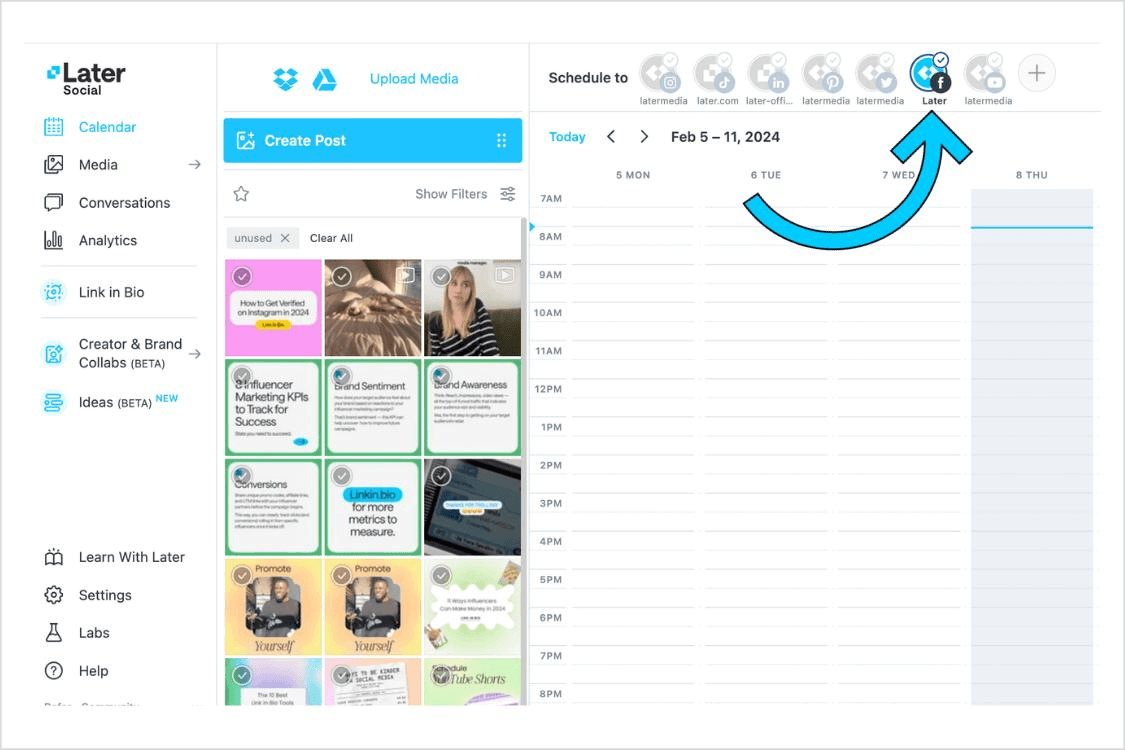
With Later, you can also view upcoming content at a glance. This makes it easy to spot empty days, avoid campaign overlaps, and ensure that materials due to clients aren’t forgotten.
2. Metricool: See Your Analytics Across Multiple Platforms in One Dashboard
Metricool is one of the best social media analytics tool that integrates most of the information from various platforms such as TikTok, Instagram, and YouTube, so you don’t have to access their analytics dashboards one by one.
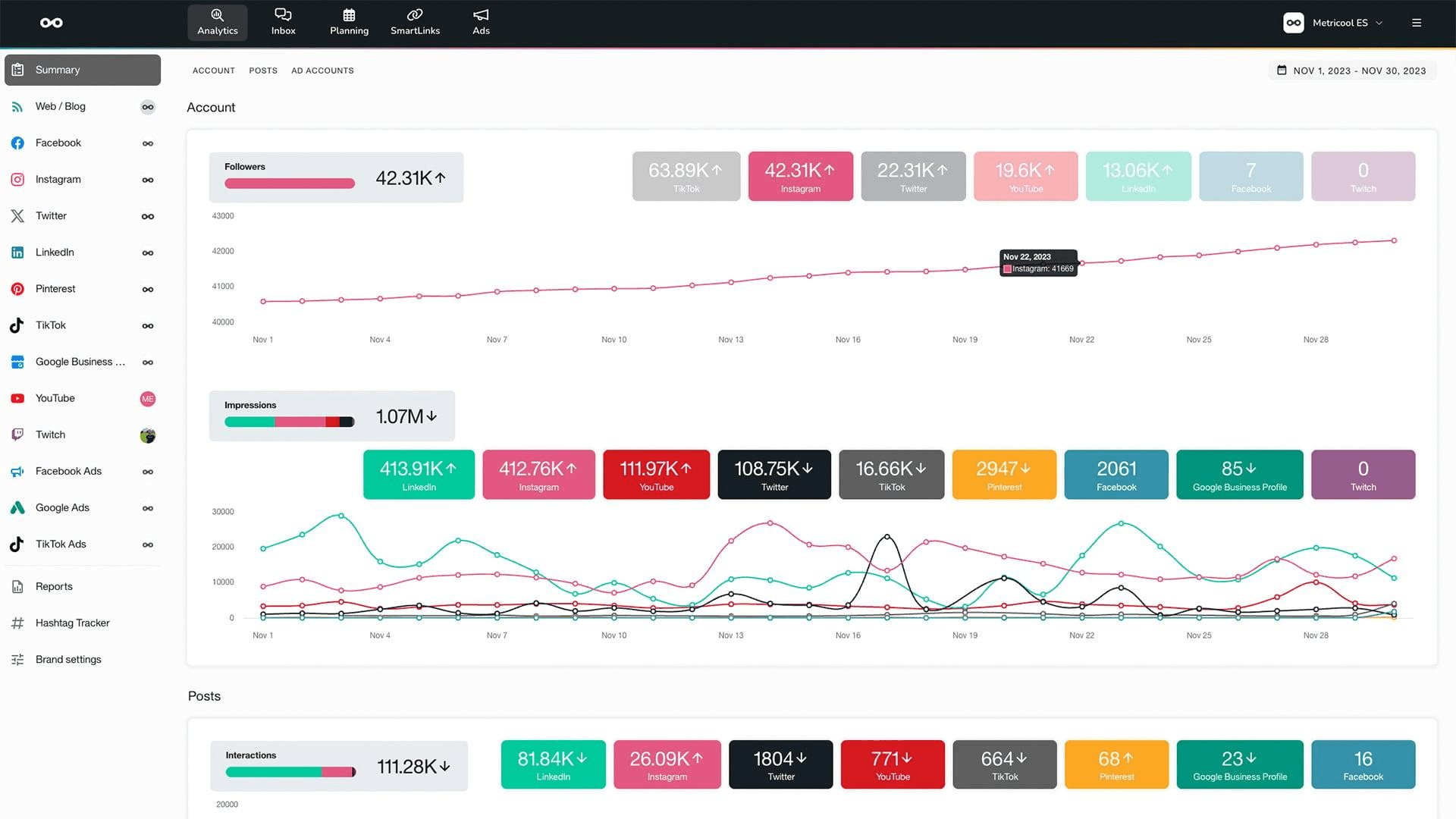
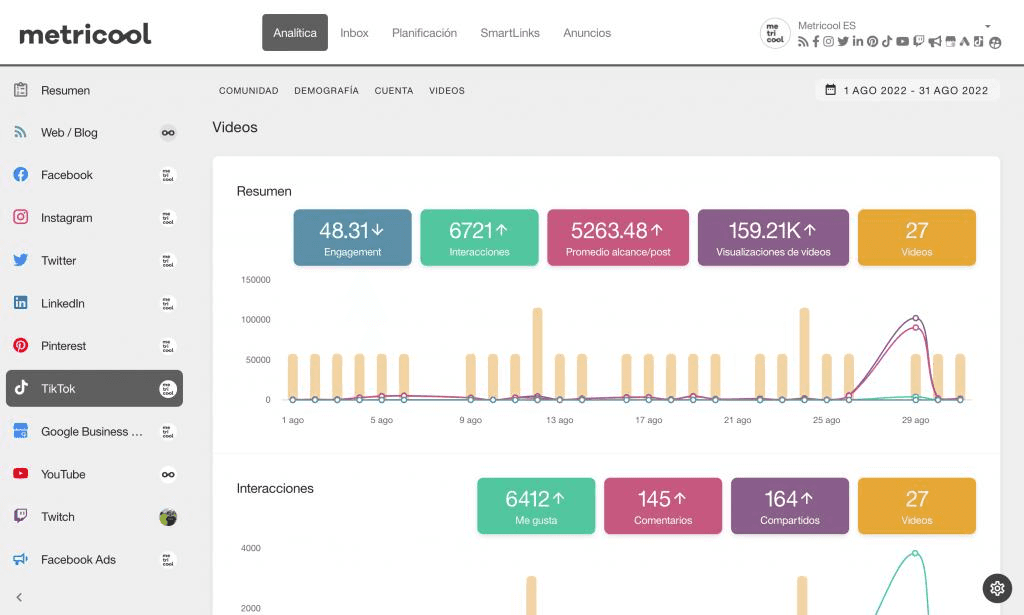
Metricool is perfect for those who publish content on various social media platforms; its free plan allows you to manage one brand, schedule up to 20 posts per month, analyze five competitor profiles, and access analytics data for 30 days.
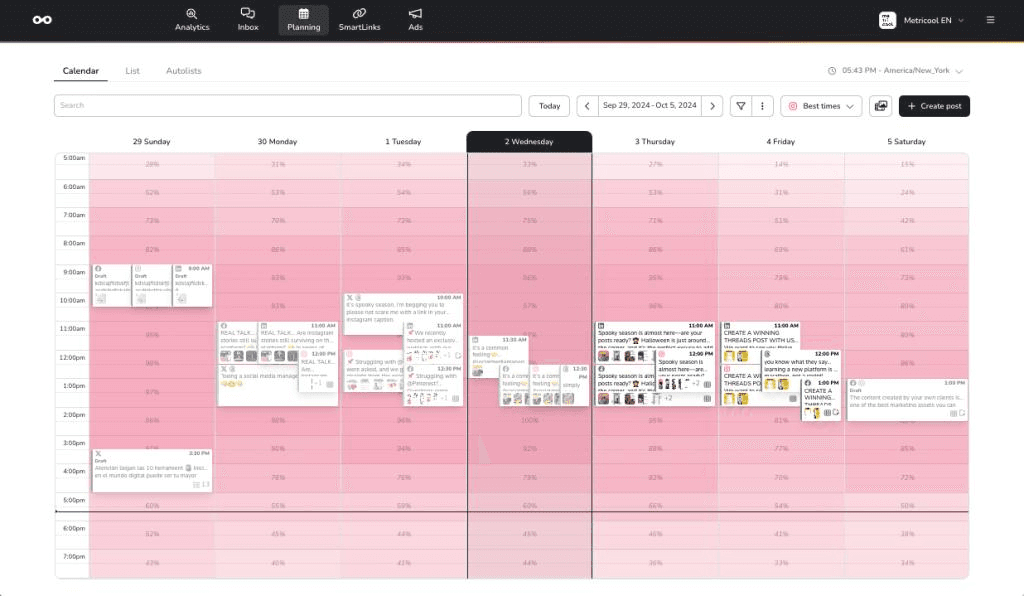
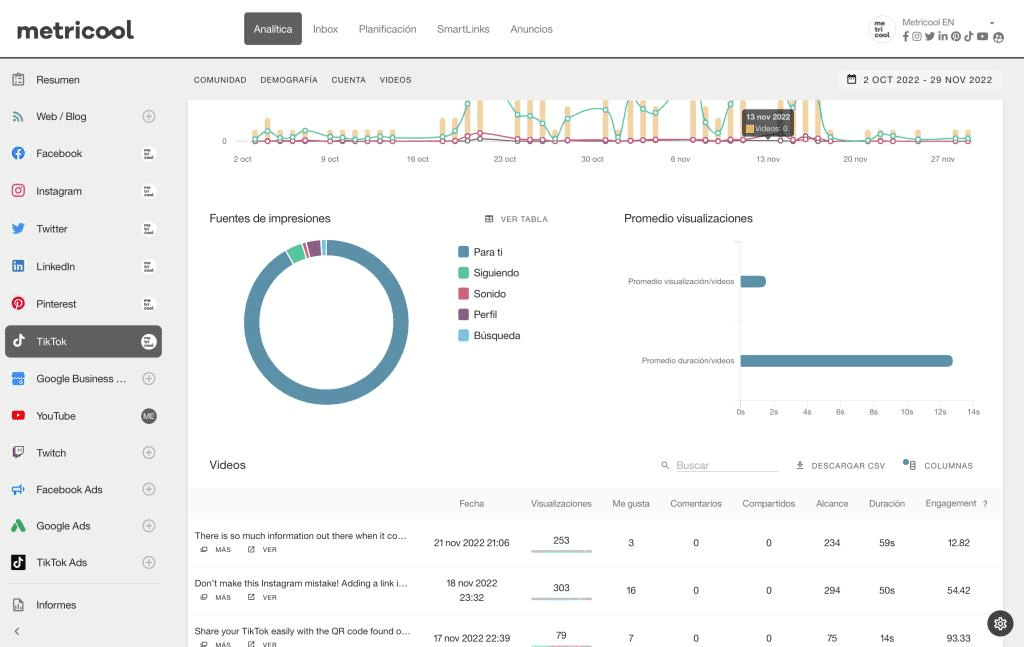
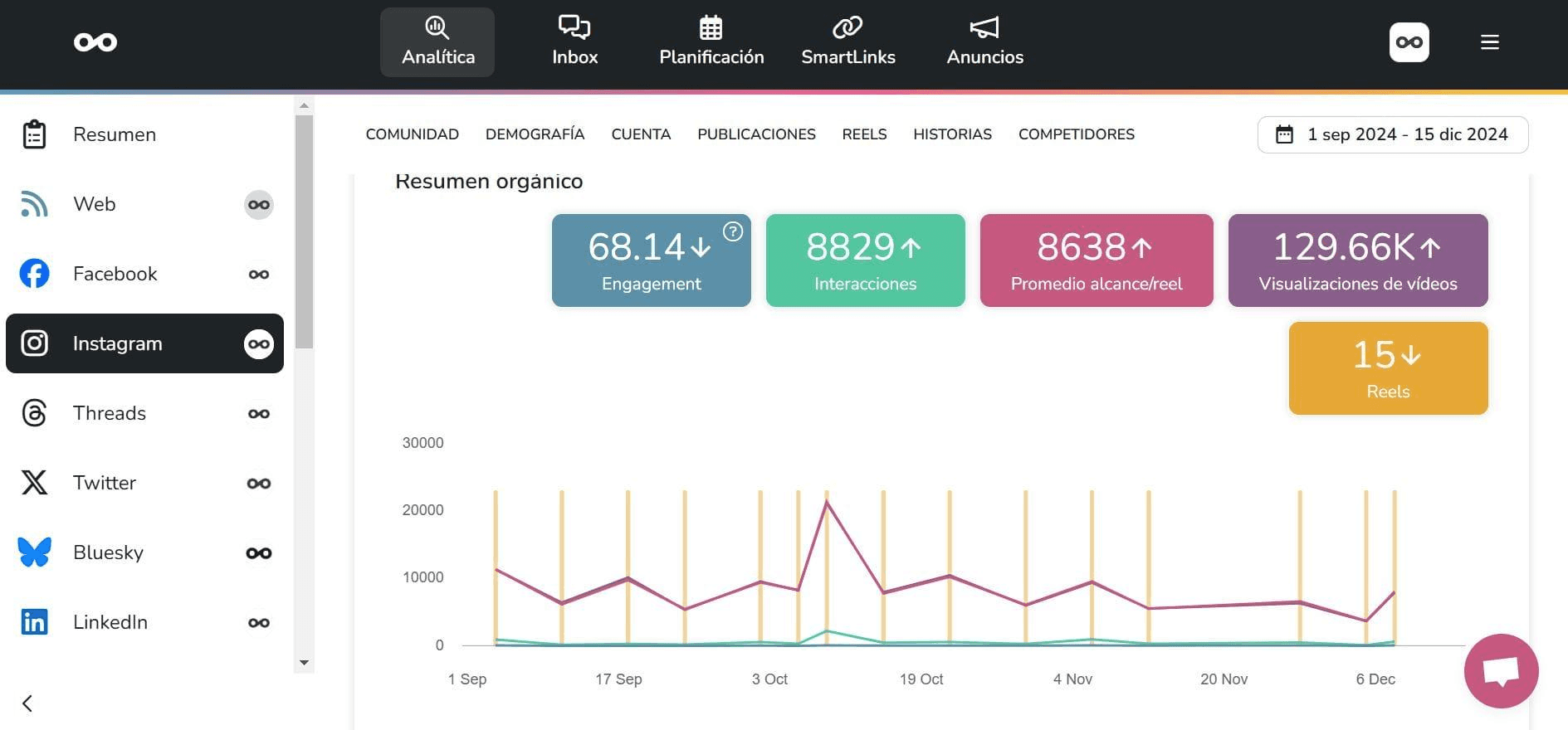
Metricool’s main advantage lies in its ease of use for those who want to see which platform their content performs best on. While specialized analytics platforms may offer more in-depth reports, Metricool provides a practical starting point for individual creators without requiring a large software budget.
3. TikTok Analytics + Instagram Insights: Start With the Free UGC Tracking Data
TikTok Studio is ideal for those who are reluctant to pay for analytics platform services, as it leverages the features and data already available within the app itself
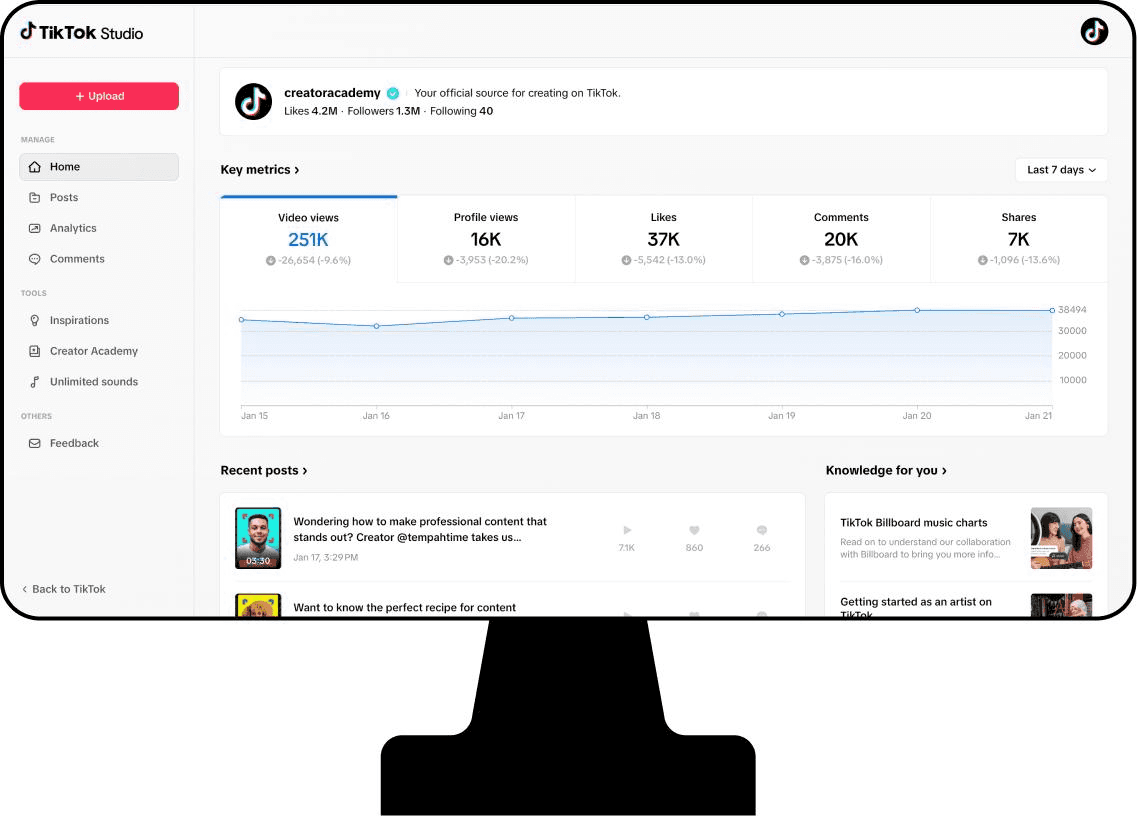
TikTok Studio is easy to use and suitable for almost anyone, providing analytics that cover the number of views, followers, likes, the performance of each post, and other metrics. In addition, TikTok also offers the Creator Search Insights feature, which displays topics that users are currently searching for and can reveal content gaps worth exploring.
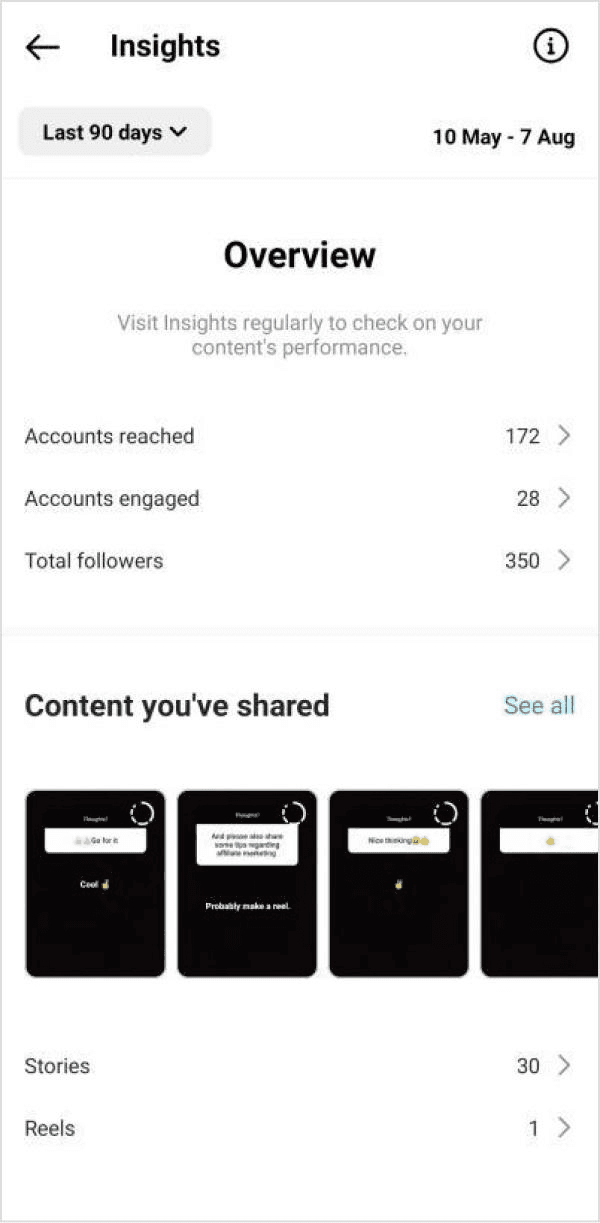
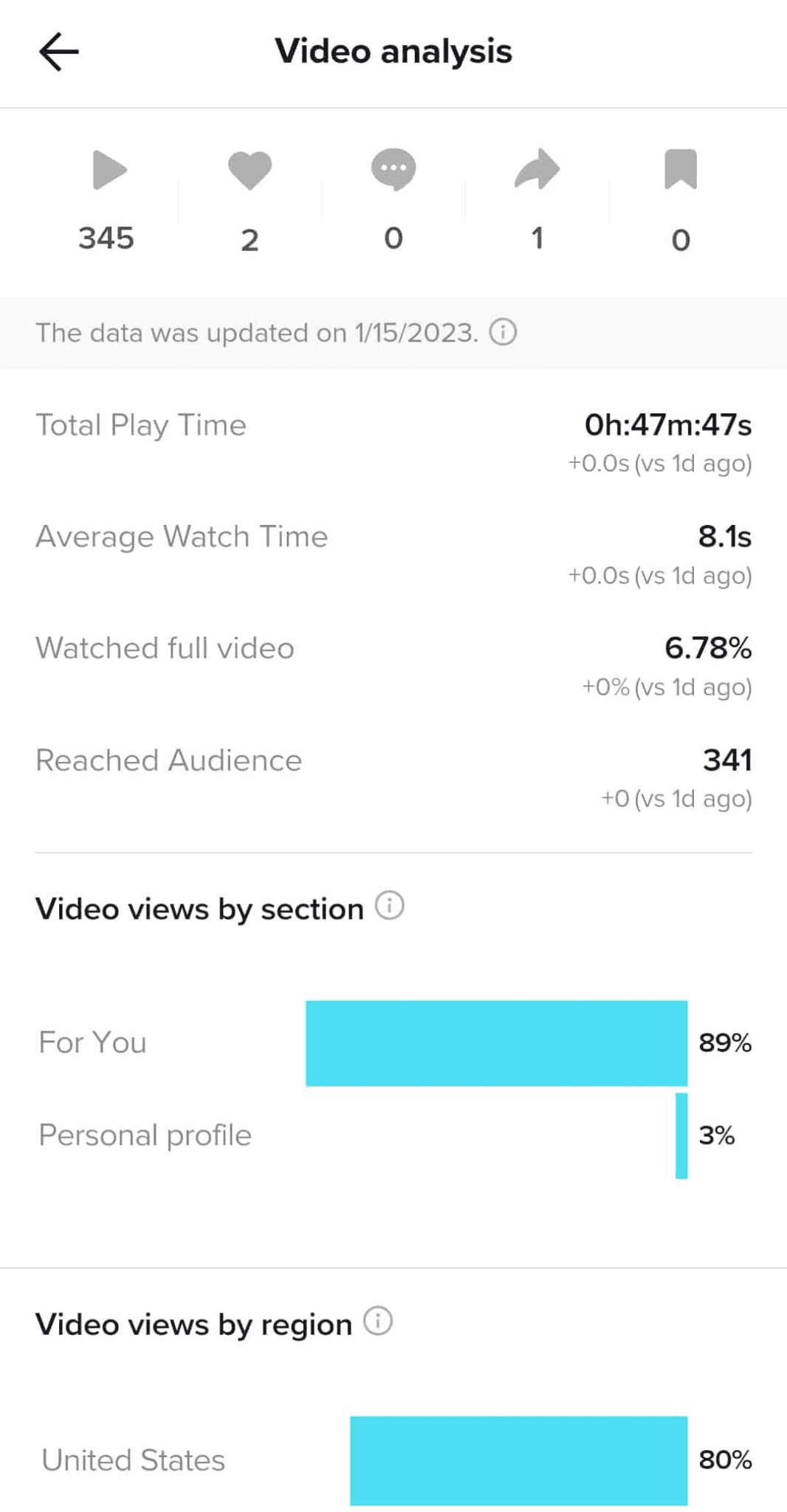
This is extremely useful for determining what content to create next. If a certain format consistently generates a better audience response, that’s a valuable creative signal. If certain topics perform well in searches, they can serve as ideas for future content.
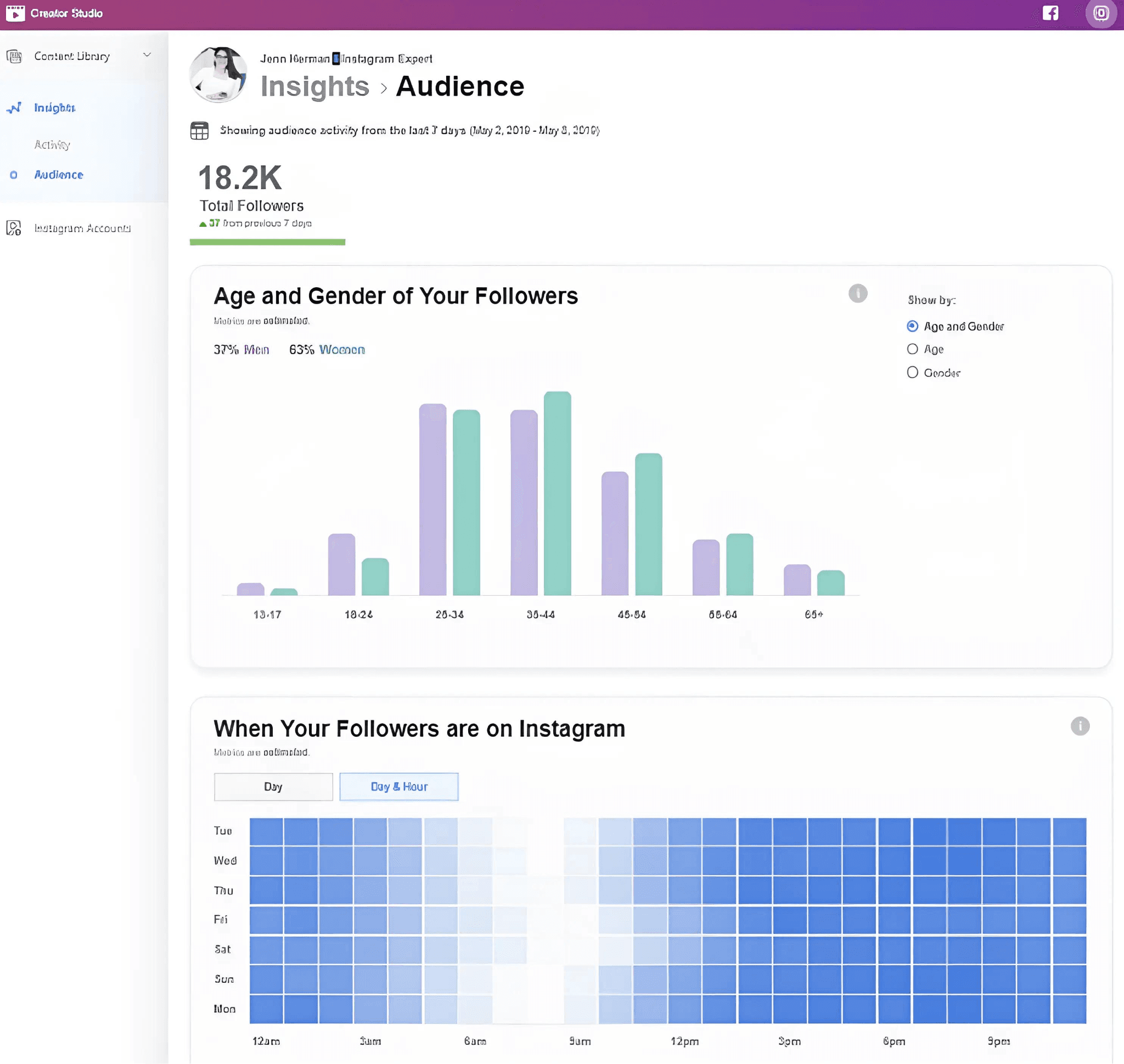

Not just TikTok, Instagram also provides Insights for professional accounts, so the same principles apply there as well.
4. Notion or Google Sheets: Build Your Own Performance Library
Notion and Google Sheets provide a simple way to track UGC performance and are excellent choices for creators who manage many clients or anyone who wants to document their current strategies.
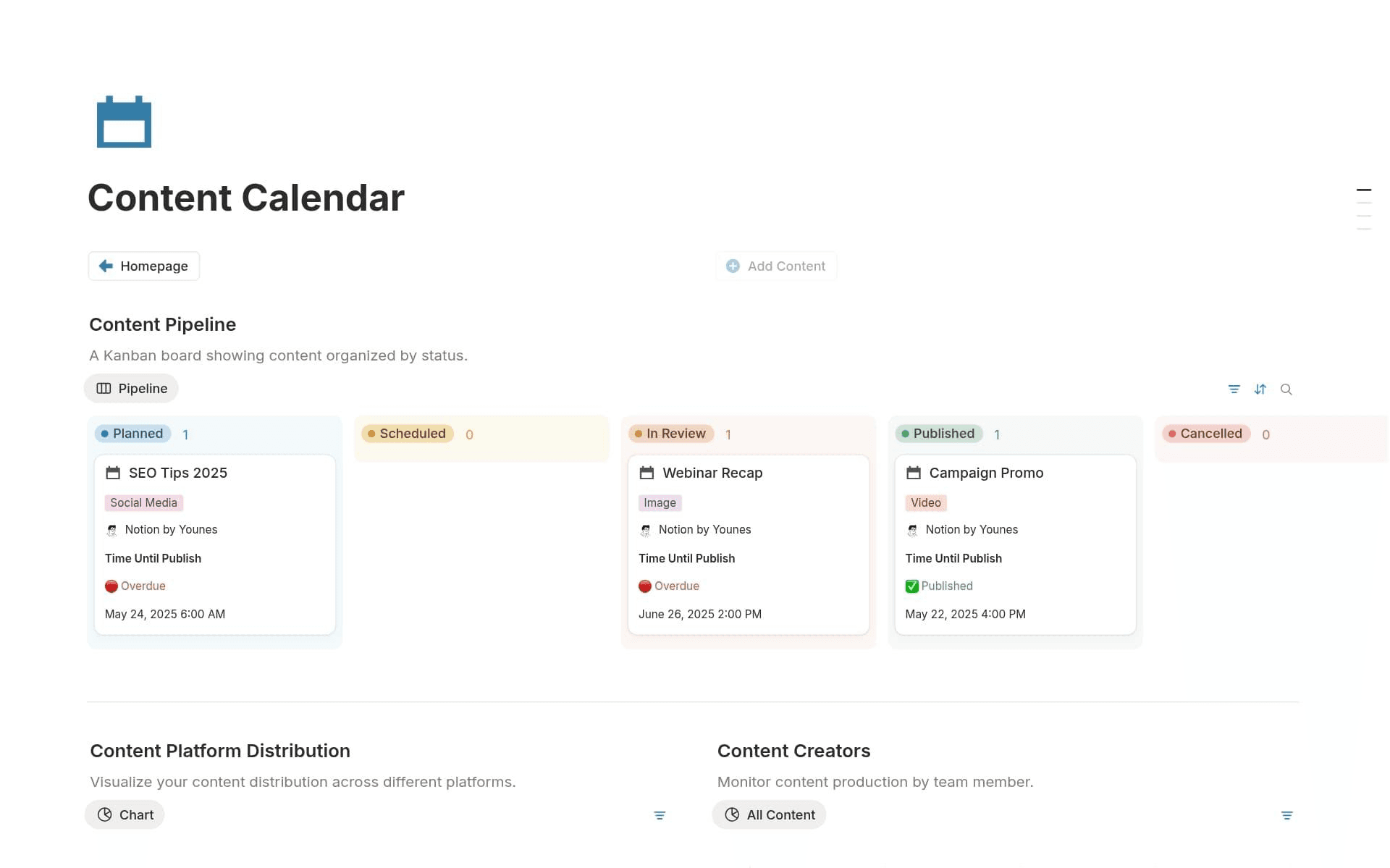
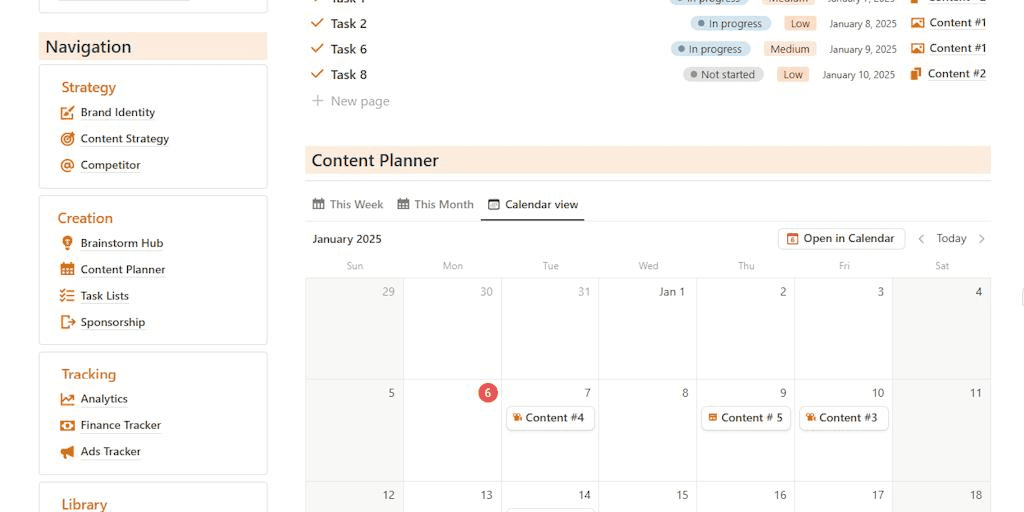
Notion serves as a tracking tool that can be used to manage briefs, client information, deadlines, scripts, and content calendars. Its database can be displayed as a calendar, table, board, or other views, making it flexible enough to manage a creator’s workflow within a single workspace.
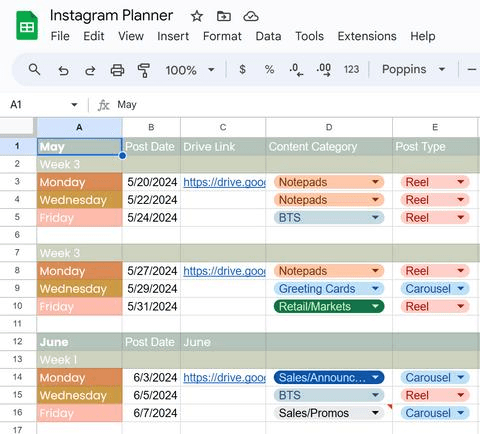
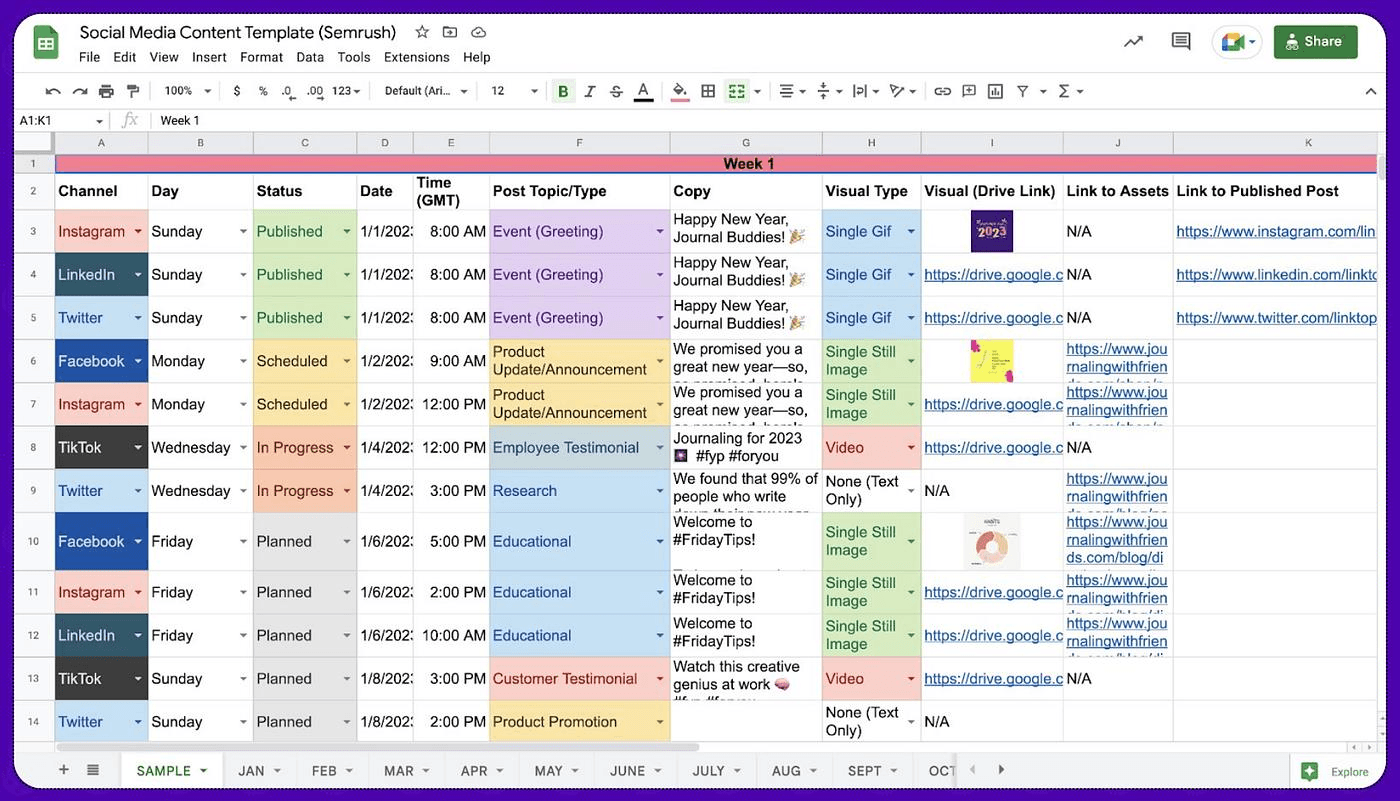
On the other hand, Google Sheets is useful if the main goal is to track performance. A simple spreadsheet can include columns for creators, brands, video concepts, hooks (compelling opening segments), platforms, upload dates, view counts, engagement, retention metrics, and final results.
5. viral.app: When UGC Becomes a Real Campaign Operation
Viral.app is the best UGC content creator platform choice when Notion and Google Sheets aren’t enough to document your brand’s strategies or campaigns that involve multiple creators and platforms.
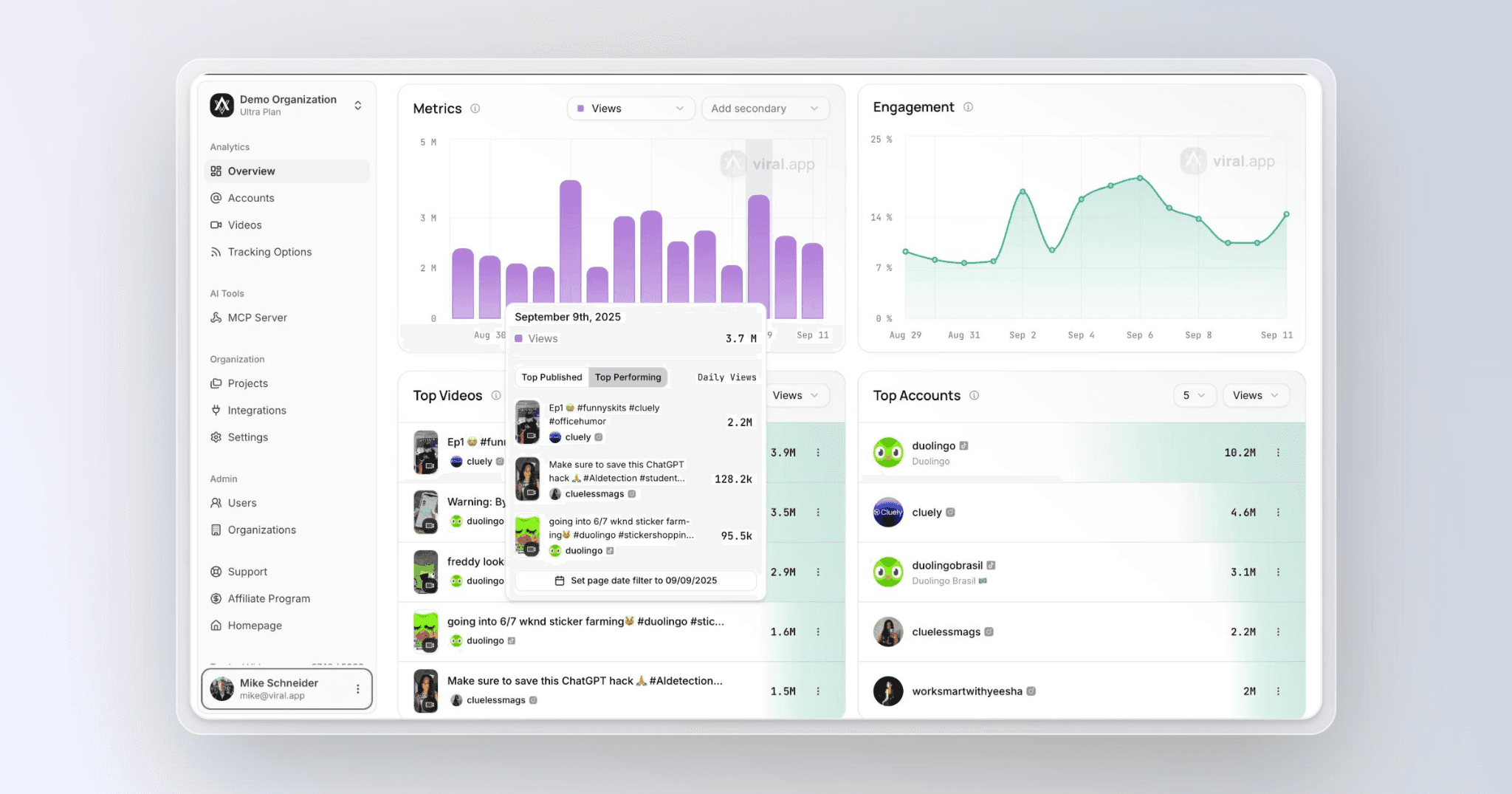
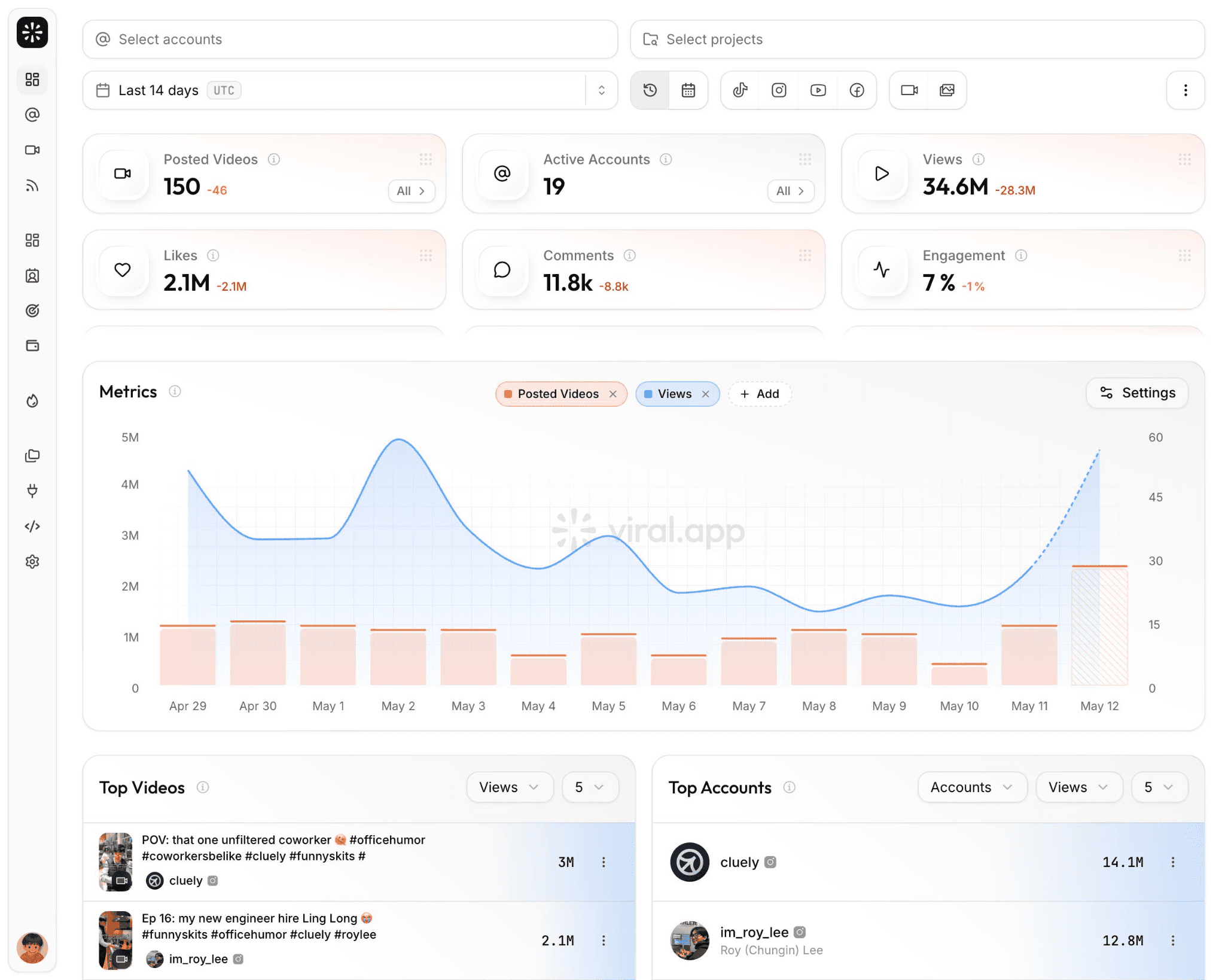
viral.app is ideal for agencies, brands, and professional creators running large-scale UGC campaigns, as it consolidates analytics from TikTok, Instagram Reels, and YouTube Shorts into a single workspace while integrating creator campaign management and performance-based payment systems.

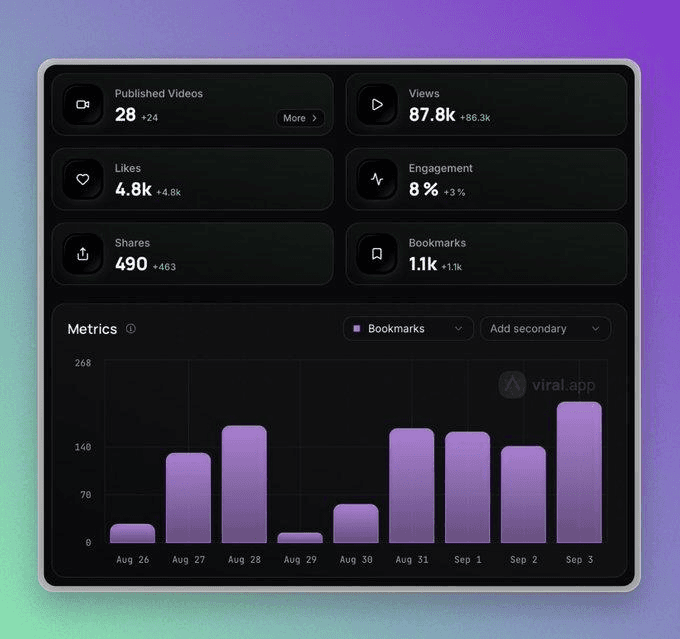
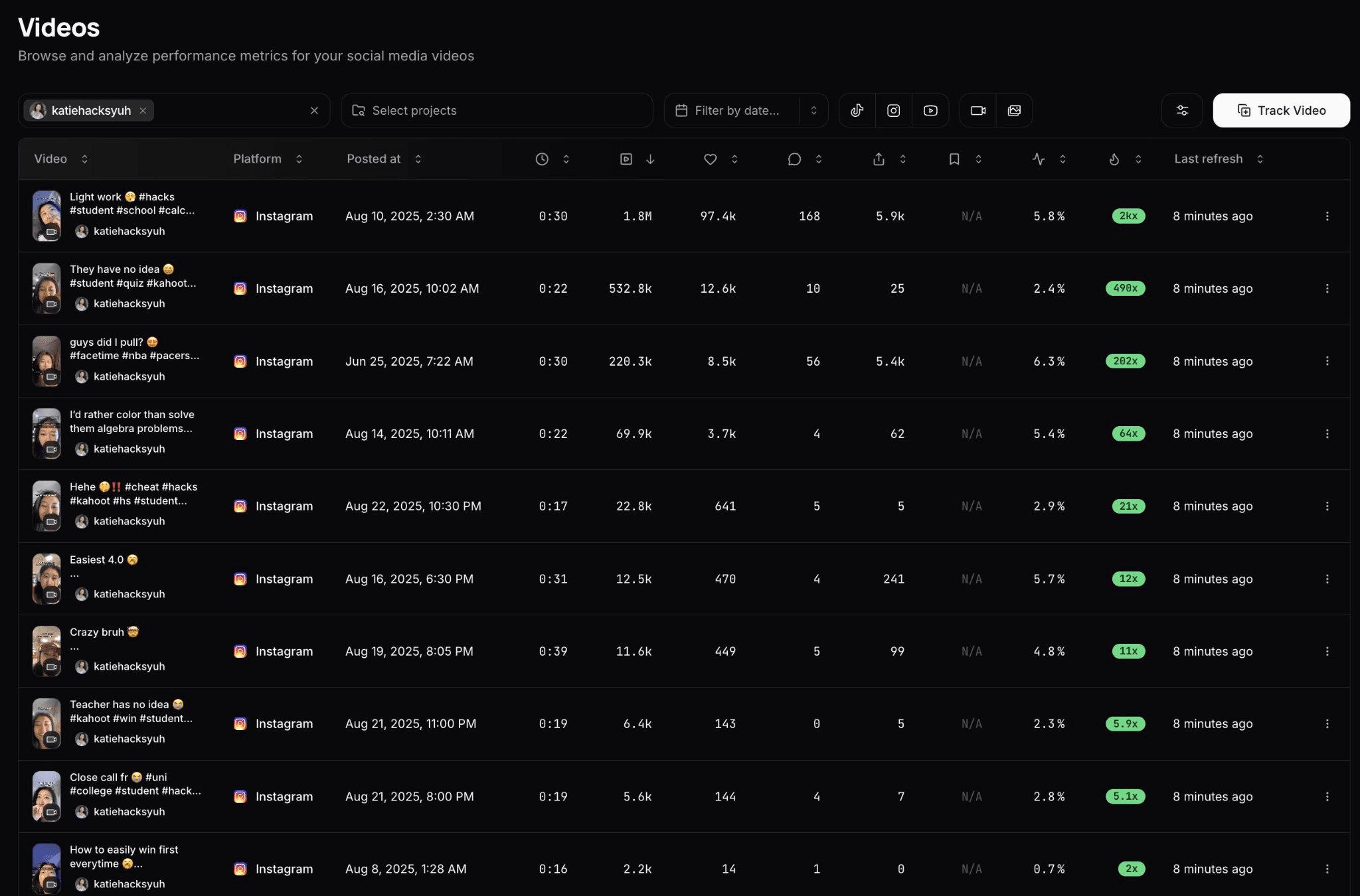
This distinction is crucial for agencies and brands that manage a large volume of creator content. Instead of checking accounts one by one, copying screenshots into a spreadsheet, and calculating payments separately, campaign data can be directly linked to the relevant creators and campaigns.
From Tools to a Repeatable UGC System
Tools can make a creator's workflow faster, but they cannot replace the creative decisions that determine whether a video works. The most useful stack is therefore usually the smallest one that removes the biggest bottlenecks.
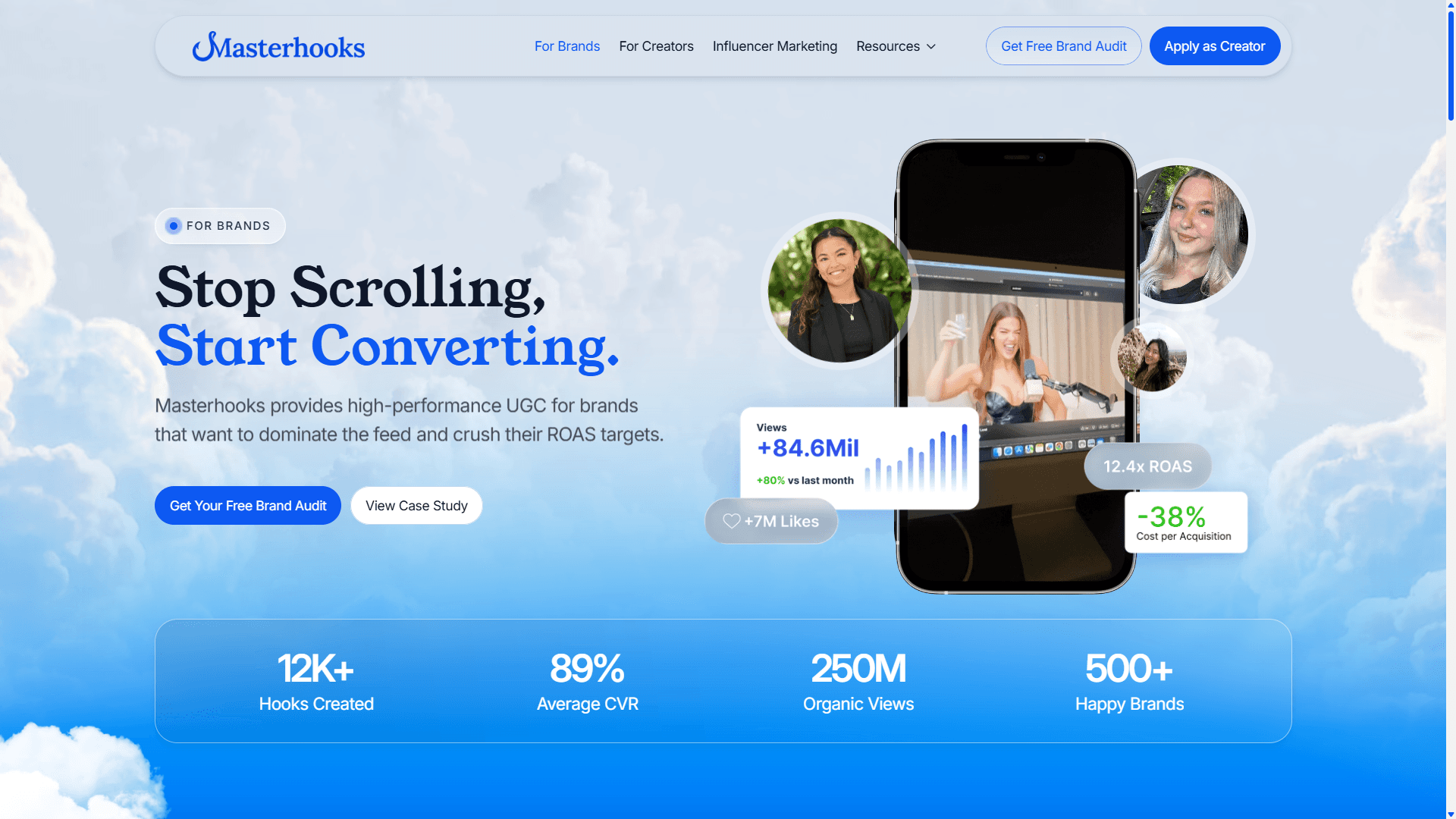
For creators and brands looking to build that system at a larger scale, Masterhooks takes a similar end-to-end approach to UGC, offering a UGC service that combines creator sourcing, scripting, production, editing, and content repurposing into a broader content workflow. The tools may change as a creator grows, but the underlying principle stays the same: create, distribute, measure, and use the results to make the next piece of content better.
Maximize your content distribution with the right tools!
Maximize your content distribution with the right tools!
After covering Parts 1 and 2 of this guide which focused on everything that happens before a UGC video goes live, Part 3 will now focus on the critical stages that determine whether all that effort will actually reach an audience. The best UGC content creator tools can help with these next steps by making it easier to schedule content, track performance, and manage campaigns across platforms, turning video production into a more sustainable workflow.
The good news is that creators don’t need a complex suite of tools since these selected tools are sufficient to handle nearly all of these needs.
1. Later: Keep Your Content Calendar Under Control
Later is one of the most useful content calendar tools for UGC creators managing posts for multiple brands , especially to avoid missing content publication deadlines.
Later is very useful for creators who need a visual overview of their publication schedule, with a free plan that offers quite useful features such as post scheduling, calendar access, a customizable “Link in Bio” page, and basic analytics.
With Later, you can also view upcoming content at a glance. This makes it easy to spot empty days, avoid campaign overlaps, and ensure that materials due to clients aren’t forgotten.
2. Metricool: See Your Analytics Across Multiple Platforms in One Dashboard
Metricool is one of the best social media analytics tool that integrates most of the information from various platforms such as TikTok, Instagram, and YouTube, so you don’t have to access their analytics dashboards one by one.
Metricool is perfect for those who publish content on various social media platforms; its free plan allows you to manage one brand, schedule up to 20 posts per month, analyze five competitor profiles, and access analytics data for 30 days.
Metricool’s main advantage lies in its ease of use for those who want to see which platform their content performs best on. While specialized analytics platforms may offer more in-depth reports, Metricool provides a practical starting point for individual creators without requiring a large software budget.
3. TikTok Analytics + Instagram Insights: Start With the Free UGC Tracking Data
TikTok Studio is ideal for those who are reluctant to pay for analytics platform services, as it leverages the features and data already available within the app itself
TikTok Studio is easy to use and suitable for almost anyone, providing analytics that cover the number of views, followers, likes, the performance of each post, and other metrics. In addition, TikTok also offers the Creator Search Insights feature, which displays topics that users are currently searching for and can reveal content gaps worth exploring.
This is extremely useful for determining what content to create next. If a certain format consistently generates a better audience response, that’s a valuable creative signal. If certain topics perform well in searches, they can serve as ideas for future content.
Not just TikTok, Instagram also provides Insights for professional accounts, so the same principles apply there as well.
4. Notion or Google Sheets: Build Your Own Performance Library
Notion and Google Sheets provide a simple way to track UGC performance and are excellent choices for creators who manage many clients or anyone who wants to document their current strategies.
Notion serves as a tracking tool that can be used to manage briefs, client information, deadlines, scripts, and content calendars. Its database can be displayed as a calendar, table, board, or other views, making it flexible enough to manage a creator’s workflow within a single workspace.
On the other hand, Google Sheets is useful if the main goal is to track performance. A simple spreadsheet can include columns for creators, brands, video concepts, hooks (compelling opening segments), platforms, upload dates, view counts, engagement, retention metrics, and final results.
5. viral.app: When UGC Becomes a Real Campaign Operation
Viral.app is the best UGC content creator platform choice when Notion and Google Sheets aren’t enough to document your brand’s strategies or campaigns that involve multiple creators and platforms.
viral.app is ideal for agencies, brands, and professional creators running large-scale UGC campaigns, as it consolidates analytics from TikTok, Instagram Reels, and YouTube Shorts into a single workspace while integrating creator campaign management and performance-based payment systems.
This distinction is crucial for agencies and brands that manage a large volume of creator content. Instead of checking accounts one by one, copying screenshots into a spreadsheet, and calculating payments separately, campaign data can be directly linked to the relevant creators and campaigns.
From Tools to a Repeatable UGC System
Tools can make a creator's workflow faster, but they cannot replace the creative decisions that determine whether a video works. The most useful stack is therefore usually the smallest one that removes the biggest bottlenecks.
For creators and brands looking to build that system at a larger scale, Masterhooks takes a similar end-to-end approach to UGC, offering a UGC service that combines creator sourcing, scripting, production, editing, and content repurposing into a broader content workflow. The tools may change as a creator grows, but the underlying principle stays the same: create, distribute, measure, and use the results to make the next piece of content better.
Maximize your content distribution with the right tools!
Related Reading
Related Reading

How to Find the Right Influencer Marketing Agency for Your Brand (Without Wasting Budget)
6 min
|
How to Find the Right Influencer Marketing Agency for Your Brand (Without Wasting Budget)
Learn how to choose an influencer marketing agency using a practical scorecard, performance criteria, red flags, and pre-contract checks.
6 min
|

AI Video Ad Agencies: A Buyer's Guide for DTC Brands (2026)
4 min
|
AI Video Ad Agencies: A Buyer's Guide for DTC Brands (2026)
Compare AI video ad agency types, pricing, performance metrics, ownership rights, and seven questions DTC brands should ask before hiring.
4 min
|

How Taylor Swift Engineered a UGC Wave With 13 Seconds of Video and One Awards Show
4 min
|
How Taylor Swift Engineered a UGC Wave With 13 Seconds of Video and One Awards Show
How Taylor Swift turned a 13-second teaser, Easter eggs, and a live VMA premiere into a UGC engine brands can adapt for organic distribution.
4 min
|



Need help scaling?
Book a strategy call with our expert team to audit your current UGC setup.